How to determine which devices consume the most usage with my Home Hub 3000 modem
Steps to follow:
- Open a web browser.
-
Enter the following in the address bar:
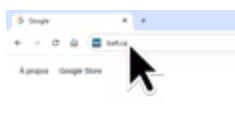
Images may not be exactly as shown.
- When connected to the Internet, enter “bell.ca/mymodem”.
- If you’re not connected, enter “192.168.2.1”.
-
Click My usage.
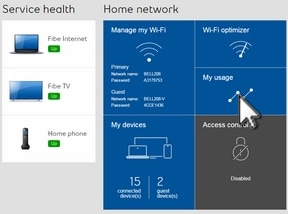
Images may not be exactly as shown.
- The information displayed is over a 30-day period.
-
Use the predefined date ranges or specify custom ranges to display usage.
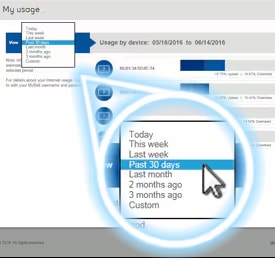
Images may not be exactly as shown.


Join the conversation in our community forums
Find even more support by searching topics or posting questions in our forum.
 Join the conversation by scanning the QR code.