Comment configurer le courriel Bell sur ma tablette Nubia/ZTE
Étape 1 de 20
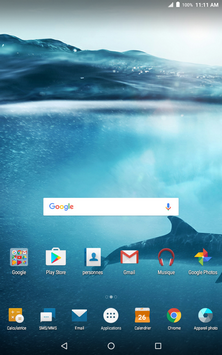
Touchez Applications.

Étape 2 de 20
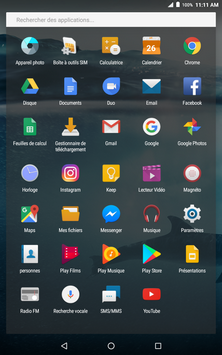
Touchez Paramètres.
Étape 3 de 20
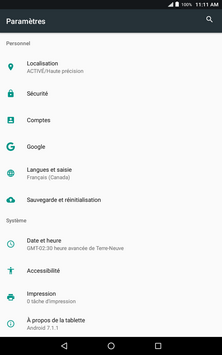
Touchez Comptes.
Étape 4 de 20
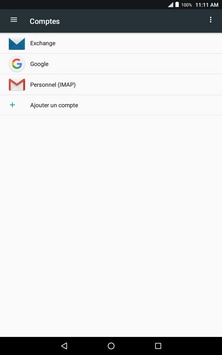
Touchez Ajouter un compte.
Étape 5 de 20
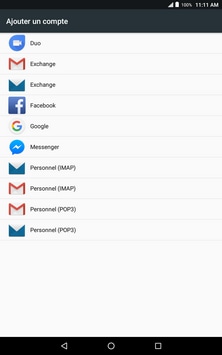
Touchez Personnel (IMAP).
Étape 6 de 20
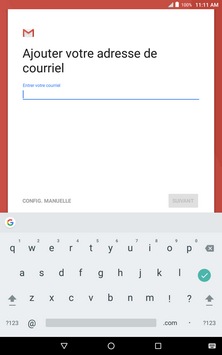
Entrez votre adresse de courriel Bell.
Étape 7 de 20
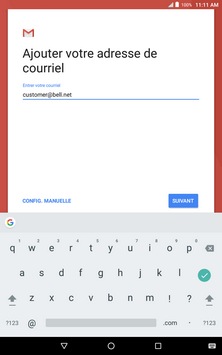
Touchez CONFIG MANUELLE.
Étape 8 de 20
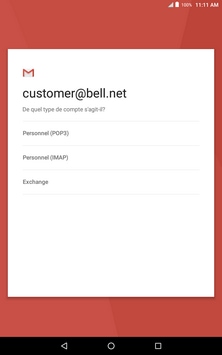
Touchez Personnel (IMAP).
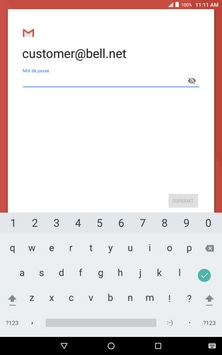
Étape 9 de 20
Entrez votre mot de passe de courriel Bell.
Étape 10 de 20
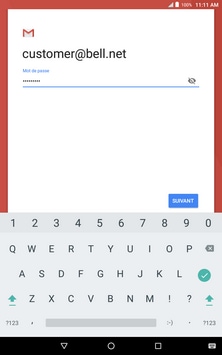
Touchez SUIVANT.
Étape 11 de 20
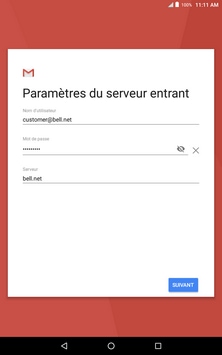
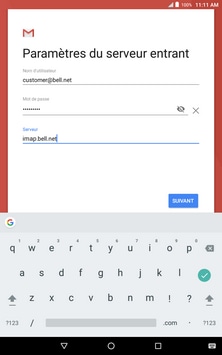
Touchez Serveur.
Étape 12 de 20
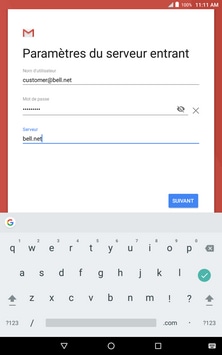
Entrez imap.bell.net comme serveur IMAP.
Étape 13 de 20
Touchez SUIVANT.
Étape 14 de 20
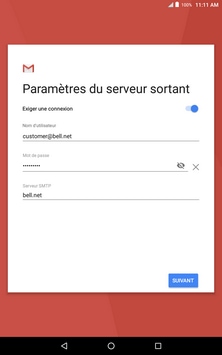
Touchez SERVEUR SMTP.
Étape 15 de 20
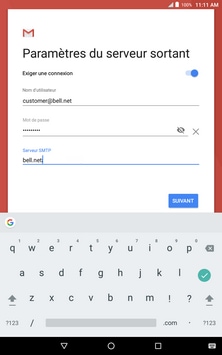
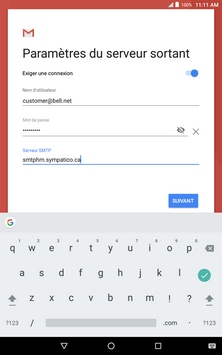
Entrez smtphm.sympatico.ca comme serveur SMTP.
Étape 16 de 20
Touchez SUIVANT.
Étape 17 de 20
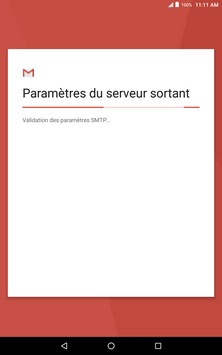
Patientez pendant la vérification des paramètres de courriel.
Étape 18 de 20
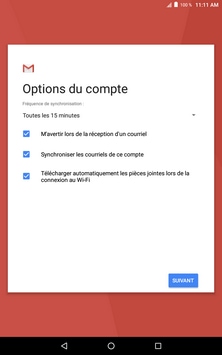
Modifiez les options de votre compte si désiré, puis touchez SUIVANT.
Étape 19 de 20
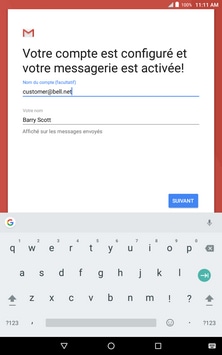
Touchez SUIVANT.
Étape 20 de 20
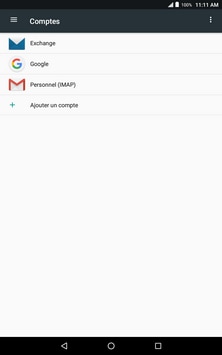
Votre compte de courriel a été ajouté.

- Touchez Applications.
- Touchez Paramètres.
- Touchez Comptes.
- Touchez Ajouter un compte.
- Touchez Personnel (IMAP).
- Entrez votre adresse de courriel Bell.
- Touchez CONFIG MANUELLE.
- Touchez Personnel (IMAP).
- Entrez votre mot de passe de courriel Bell.
- Touchez SUIVANT.
- Touchez Serveur.
- Entrez imap.bell.net comme serveur IMAP.
- Touchez SUIVANT.
- Touchez SERVEUR SMTP.
- Entrez smtphm.sympatico.ca comme serveur SMTP.
- Touchez SUIVANT.
- Patientez pendant la vérification des paramètres de courriel.
- Modifiez les options de votre compte si désiré, puis touchez SUIVANT.
- Touchez SUIVANT.
- Votre compte de courriel a été ajouté.