How to connect a computer to a wireless network (Windows 10)
Steps to follow:
-
Click the wireless network icon.

Images may not be exactly as shown.
- Select the wireless network you want to use (e.g., Wi-Fi).
- Click Connect.
- Enter the password for the wireless network.
- Click Next.
-
Click the desired option (e.g., Yes).
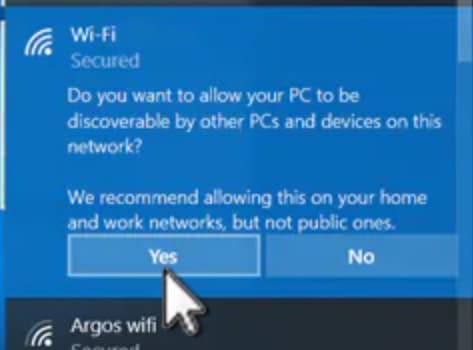
Images may not be exactly as shown.
- You're now connected. Launch a web browser to go online.


Join the conversation in our community forums
Find even more support by searching topics or posting questions in our forum.
 Join the conversation by scanning the QR code.